
AV routing moves audio, video, and related content from one or more sources to one or more destinations. In an enterprise, those sources may include participant devices, cameras, room systems, signage feeds, dashboards, media players, or remote meetings. Destinations may include a room display, overflow space, recording system, remote participant, or another managed endpoint.
The routing decision is not simply which display receives which source. It includes media transport, control, timing, network design, authorization, monitoring, and recovery. This guide provides a framework for evaluating AV routing without assuming that one architecture fits every room or use case.
- Enterprise AV routing is the controlled delivery of audio, video and content from authorized sources to selected destinations, with defined quality, security, management and lifecycle requirements.
- The decision is not simply which display receives which source: it includes transport, control, timing, network design, authorization, monitoring and recovery.
- An AV routing architecture has six layers: sources, ingest and processing, transport, destinations, the control plane, and observability and lifecycle.
- Routing has moved onto the network, which makes it a shared design between AV and network teams.
- Define the performance requirements and the security questions before choosing a topology; no single architecture fits every room or use case.
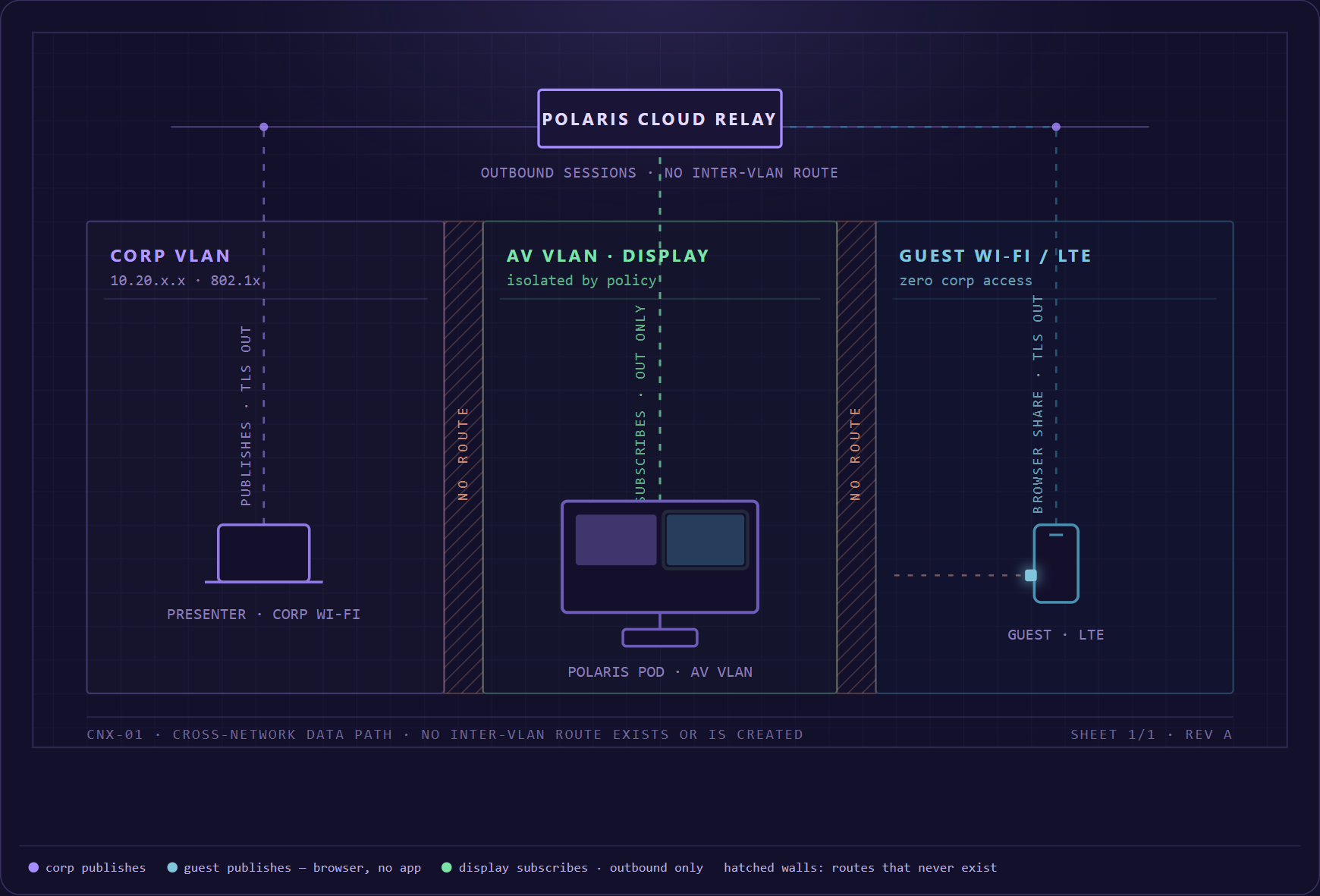
Polaris’s workspace and cross-network architecture support a broader routing model: sources, policy, composition, and destinations should be designed separately.
- Sources: Laptops and browsers; Room computers; Cameras and codecs; Remote participants
- Routing + policy: Discovery and session brokering; Workspace composition; Identity and permissions; Network and transport rules; Monitoring and control
- Destinations: Room displays; Overflow spaces; Remote participants; Recording or capture; Idle signage
Enterprise AV routing is the controlled delivery of audio, video, and content from authorized sources to selected destinations across room and network infrastructure, with defined quality, security, management, and lifecycle requirements.
Why AV routing has moved onto the network
Traditional matrix switchers route physical inputs to physical outputs through dedicated infrastructure. AV over IP and software-managed platforms can use networked endpoints and control to make routes more flexible across rooms and buildings. The benefits can include scale, reuse of infrastructure, centralized control, and easier changes. The tradeoffs include network dependency, synchronization, security, bandwidth, configuration, and operational ownership.
Many enterprises use a hybrid architecture. Dedicated local paths handle latency-sensitive or high-value room functions, while networked systems extend content to additional destinations or support flexible spaces.
The six layers of an AV routing architecture
Every routing design answers six questions, one per layer: what feeds in, where signals are processed, how they travel, where they land, who controls the routes, and how the whole thing is watched and maintained.
01Sources
List every source type, connector or protocol, resolution, frame rate, audio format, encryption requirement, content-protection constraint, and ownership model. A user laptop is different from a managed camera, media player, room compute device, or regulated data display.
02Ingest and processing
Determine where signals are captured, converted, encoded, scaled, composited, switched, or mixed. Each transformation can affect latency, quality, synchronization, compatibility, and troubleshooting.
03Transport
Document physical and network paths, unicast or multicast behavior where applicable, bandwidth, quality of service, timing, addressing, DNS, certificates, routing boundaries, resilience, and the responsible network team. Do not treat 'AV over IP' as one standardized architecture.
04Destinations
Displays, speakers, recording systems, remote meetings, overflow rooms, signage endpoints, and downstream processors have different requirements. Define who can route to each destination, what content is appropriate, and what the fallback should be.
05Control plane
The control layer determines who can create, change, schedule, monitor, and end routes. Review authentication, authorization, room roles, automation, APIs, user interfaces, conflict handling, and the relationship between local room control and central administration.
06Observability and lifecycle
Operations teams need endpoint status, path visibility, alarms, logs, performance data, configuration history, version inventory, update control, and replacement planning. A dynamic route that cannot be diagnosed becomes an expensive support problem.
AV routing design patterns
| Pattern | Useful for | Questions to answer |
|---|---|---|
| Local room routing | Selecting among room sources and displays | How much latency does the room tolerate? Who switches sources, and what happens when a route fails mid-meeting? Does it integrate with the room's existing AV control? |
| Multi-display workspace | Showing several sources side by side for comparison or facilitation | How many sources can share the display before text stops being legible? Which source owns audio? Who controls the layout - a moderator, or any participant? |
| Room-to-room extension | Overflow, divisible rooms, or shared content between spaces | Do the rooms stay synchronized closely enough for live speech? Who may extend a session into another room, and can that room's occupants tell it is happening? What clears when the session ends? |
| Enterprise distribution | Sending approved content to many destinations | How many endpoints can receive a route at once? Who approves content for each destination class? How do you spot the one display that silently stopped receiving? |
| Hybrid meeting routing | Connecting local sources and room AV to remote participants | Which meeting service carries the route, and what breaks on the others? How is echo prevented when room audio joins the call? Do remote participants receive content directly, or through a camera pointed at a screen? |
Security questions for AV routing
- Authorization: Who can make a source visible on which destination, and how is that decision enforced?
- Segmentation: Which networks contain sources, endpoints, control, management, guests, and sensitive systems?
- Encryption: Which media and control paths are encrypted, where do they terminate, and how are keys and certificates managed?
- Data classification: Which content is permitted in public, employee, executive, regulated, or recorded destinations?
- Route visibility: Can administrators and room users tell which routes are active and who created them?
- Cleanup: What state, thumbnails, content, credentials, or schedules remain after a route ends?
- Third parties: Which cloud, meeting, streaming, monitoring, or support services process data or control the system?
- Response: How are misuse, failed updates, compromised endpoints, and unexpected routes detected and contained?
Performance requirements to define
Terms such as low latency, high quality, and real time are too vague for procurement. Define requirements by use case and test them end to end.
- End-to-end latency and acceptable variation
- Resolution, frame rate, color, scaling, and text legibility
- Audio format, channel count, lip synchronization, and echo behavior
- Number and type of simultaneous sources and destinations
- Network bandwidth, burst behavior, quality of service, and congestion response
- Route creation and switching time
- Behavior during endpoint, link, network, power, or service failure
- Recovery time and state after restart
How to deploy enterprise AV routing
- Define use cases and data classes: Separate ordinary collaboration, executive, broadcast, regulated, and public-facing requirements.
- Map sources and destinations: Include room, network, cloud, meeting, control, and monitoring systems.
- Create the architecture: Specify media, control, identity, management, update, and failure paths.
- Prototype the difficult route: Test the longest path, largest composition, most constrained network, and highest-risk destination.
- Measure the pilot: Record latency, picture quality, bandwidth, errors, route-switching time, endpoint health, and support effort - as numbers, not impressions.
- Govern production: Apply naming, roles, configuration, change control, monitoring, documentation, support, and lifecycle.
Where Mersive Polaris may fit
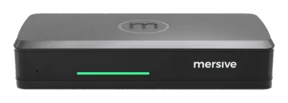
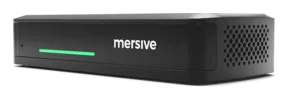
Mersive Polaris makes the shared workspace central to the room: several approved content contributions can be organized on the display, and the cloud layer manages the room fleet. That is relevant to local multi-source routing and to workflows where content needs to move among participants, displays, and hybrid meetings.
The boundary matters when you evaluate it. Establish which of the routing patterns above Polaris supports on its own, which call for dedicated AV infrastructure alongside it, and how media and control behave across network segments. Ask for reference architectures, performance measurements, and named deployments - the same evidence this guide recommends requesting from any routing vendor.
What is AV routing?
AV routing is the controlled movement of audio, video, and content from selected sources to selected destinations. It can use physical matrix switching, networked AV, software-managed endpoints, cloud services, or a hybrid architecture.
What is the difference between AV routing and AV over IP?
AV routing describes the function. AV over IP is a class of architectures that transports media and control over network infrastructure. A routing system can use AV over IP, dedicated physical paths, or both.
Is screen sharing a form of AV routing?
It can be understood as a simple route from a source device to a display or meeting. Enterprise AV routing usually addresses a broader set of sources, destinations, controls, performance requirements, and operational policies.
How should AV routing be secured?
Use documented identity, authorization, segmentation, encryption, endpoint hardening, route visibility, administrative controls, logging, updates, data-classification rules, monitoring, and incident response appropriate to the use case.